 Skip to content

 English
  Português
  Italiano
  Français
  Deutsch
  Español
Oakley 9417 HOLBROOK XL Original Replacement Lenses
From $ 76.71
Features
SIZE

59 mm.
Before making your purchase, make sure to check the measurements of your glasses. This model is available in x lens width. All dimensions are listed in millimeters and include lens width, bridge, and temple length.
MATERIAL

Polycarbonate
EASY INSTALLATION

Easy Installation
All our spare parts are designed to fit perfectly with your original model. You can do it yourself at home by following our step-by-step instructions or videos.
Description
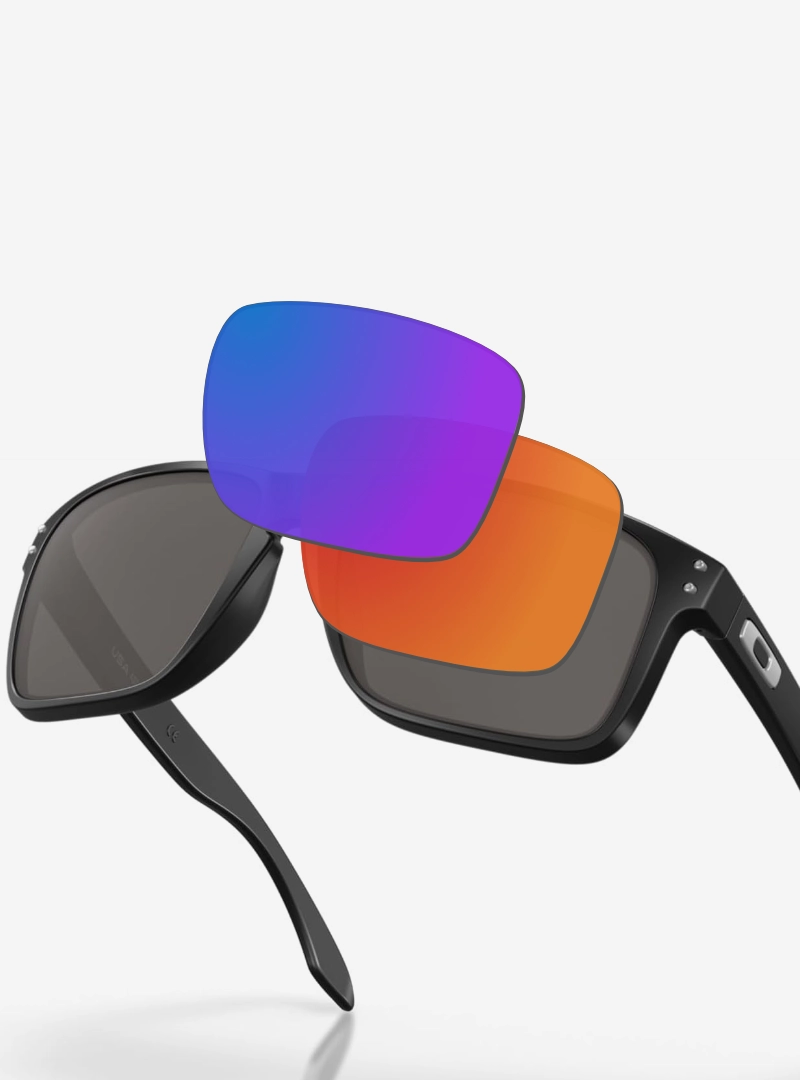
Oakley 9417 HOLBROOK XL Original Replacement Lenses. Upgrade your Oakley experience with genuine replacement lenses that restore your sunglasses to their original brilliance. Featuring Prizm lens technology, these lenses enhance color and contrast for a more detailed view. Protect your eyes from the sun and daily wear with these original replacements provided by Oakley.
Compatibility of Oakley 9417 HOLBROOK XL Lenses
Before purchasing, check the model and size of your frames on the inside of the temple arms. This information ensures the replacement lenses will fit your Oakley Holbrook XL perfectly. Sizes may vary, so checking is essential for a precise fit.
Features of Oakley 9417 HOLBROOK XL Original Replacement Lenses
- Lens size: 59 mm
- Lens material: Polycarbonate for enhanced durability
- Lens shape: Square, providing greater coverage
- Lens curvature: Base 6 for a snug fit
How to Install Oakley 9417 HOLBROOK XL Lenses
Installing new lenses is a straightforward process you can undertake at home. First, remove the old lenses by applying gentle pressure until they pop out. Then, align and insert the new lenses into the frame, pressing gently until they click securely. Your Oakleys are ready to offer a refreshed perspective.
Maintenance and Warranty
To keep your lenses in excellent condition, clean them regularly with water and a microfiber cloth. We offer a 2-year warranty against manufacturing defects (this warranty does not cover scratches or damage caused by use).
Tutorial
How to change the lenses of your Oakley glasses? (Pressure fit)
- Prepare the frame: Hold the glasses firmly and place them on a soft surface.
- Remove the old lenses: Gently press from the inside of the frame until the lenses pop out.
- Align the new lenses: Ensure they match the shape and curvature of the frame.
- Insert the new lenses: Fit one side first, then press the other side until it clicks into place.
- Check and clean: Ensure the lenses are securely in place and clean them with a microfiber cloth.
It’s that easy! Now your Oakley glasses are refreshed with new lenses. ✨
Additional information
| Weight | 25 g |
|---|---|
| Dimensions | 20 × 10 × 1 cm |
| Size | 59 |
| Audience | Adult |
| Use | Sun |
| Product Type | Original |
| Oakley Lenses | Prizm | Black 02, Prizm | Black 15, Prizm | Grey, Prizm | Jade, Prizm | Ruby 04, Prizm | Sapphire 03, Prizm | Violet, Prizm Polarized | 24k 10, Prizm Polarized | Black 05, Prizm Polarized | Deep water, Prizm Polarized | Ruby 08, Prizm Polarized | Sapphire iridium 07, Prizm Polarized | Sapphire iridium 09, Prizm Polarized | Sapphire iridium 21, Prizm Polarized | shallow water, Prizm Polarized | Tungsten 06, Prizm Polarized | Tungsten 24 |
| Temples Material | O_matter, Plastic |
| Shape | Square |
| Brand | Oakley |
| Lens material | Polycarbonate |
| Oakley Model | |
| Lens curvature | Base 6 |
| Height (mm) | 46 |
| Width (mm) | 66.0 |
| Front Material | Injected |
María Fuentes –
Las lentes las recibí bien y son auténticas