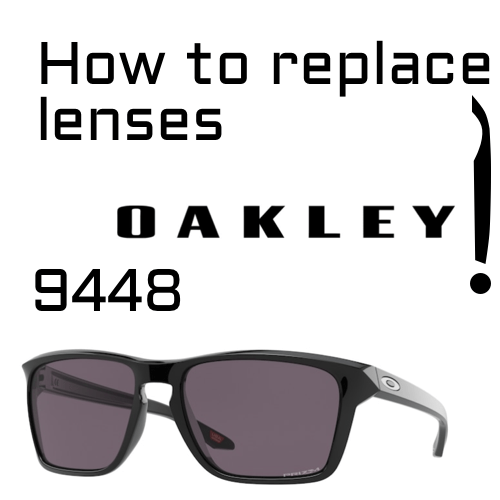
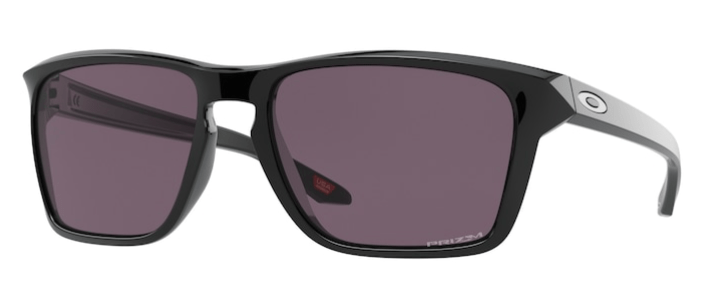
The lenses of the Oakley 9448 Sylas have no screws: they are press-fitted into the frame. To remove them, you push them out from the inside at the top center, and to fit them, you insert them at that same point from the outside and gently snap them into place. It is very simple if you follow the right order. Here is how.
The Sylas is both a sports and an urban model, and its lenses take a good share of the everyday knocks and scuffs. Replacing them lets you get clear vision back or, if you like, give your sunglasses a fresh look with a different lens color, without changing the frame.
Before you start
Check your model
On the inside of one of the temples of your Oakleys you will find the model reference, which starts with “OO” followed by four digits. For this tutorial it should be “OO9448”. After it you will see color and size codes. Write down the full reference: it will help you choose the exact lens.
What you need
- Replacement lenses for the Oakley 9448 Sylas.
- A soft cloth or chamois to hold the lens without leaving fingerprints.
- A clean, clear surface.
You don’t need a screwdriver or any other tool.
How to change the lenses on the Oakley 9448 step by step
To remove the lens
- Hold the sunglasses with the inside facing you.
- Hold the lens with one hand. Use the cloth so you don’t scratch it or leave fingerprints.
- Press with the other hand. Push the lens out from the inside at the top center.
- Do it gently. You don’t need much force; if you press too suddenly, the lens can break.
To fit the new lens
- Turn the sunglasses around. Now hold them with the outside facing you.
- Insert the lens at the top center. Make sure it is the right way round.
- Snap in the rest of the edge. Gently press the different parts of the lens until it sits completely inside the frame.
- Check. Run your finger around the edge: no part should be left outside the groove.
The image at the top of this article illustrates the process, and here you can watch the Oakley 9448 lens replacement video.
Common mistakes
- Pushing from the outside to remove it. The lens comes out toward the front, so you always push from the inside.
- Pressing on the center of the lens. It is better to push near the top center of the edge, where the lens comes out with the least tension.
- Using too much force. The frame gives with gentle pressure; forcing it can break or mark the lens.
- Not checking the edge. If one part is left out, the lens will come loose with use.
- Touching the lens with your fingers. It leaves fingerprints, and on coated lenses it is best avoided. Use the cloth.
Frequently asked questions
Do I need to warm the frame?
Usually not. If it feels very stiff, you can warm it slightly with lukewarm water, never very hot.
Are there compatible lenses for the 9448?
Yes. As well as original lenses, we offer compatible lenses for the Oakley 9448 Sylas.
Can I get prescription lenses for my Oakley Sylas?
Yes. We have prescription lenses for the Oakley 9448 Sylas.
Can I change the lens color?
Yes. As long as the lens is made for the 9448 model, you can choose a different color from the original and it will fit your frame just the same.
What if the lens won’t go all the way in?
Take it out and start again at the top center, pressing little by little. If it still won’t go in, get in touch.
What if a temple breaks?
We have those too: original Oakley 9448 Sylas temples.
Tips to make your lenses last longer
Clean them with lukewarm water and a microfiber cloth; avoid harsh products and paper tissues. When you are not wearing them, keep them in their case. And if you have to take your sunglasses off in a hurry, don’t put them down on the lenses: it is the quickest way to scratch them.
Lenses for your Oakley Sylas
Choose original Oakley 9448 Sylas lenses in the color you prefer. We have been a certified EssilorLuxottica distributor since 2018, our parts come with a 3-year warranty against manufacturing defects and standard shipping is free on orders over $ 50.53. If you have any questions, write to us and we will help you by email.
Looking for a replacement part for your glasses?
Type the model engraved on the temple arm and we'll show you everything that fits.