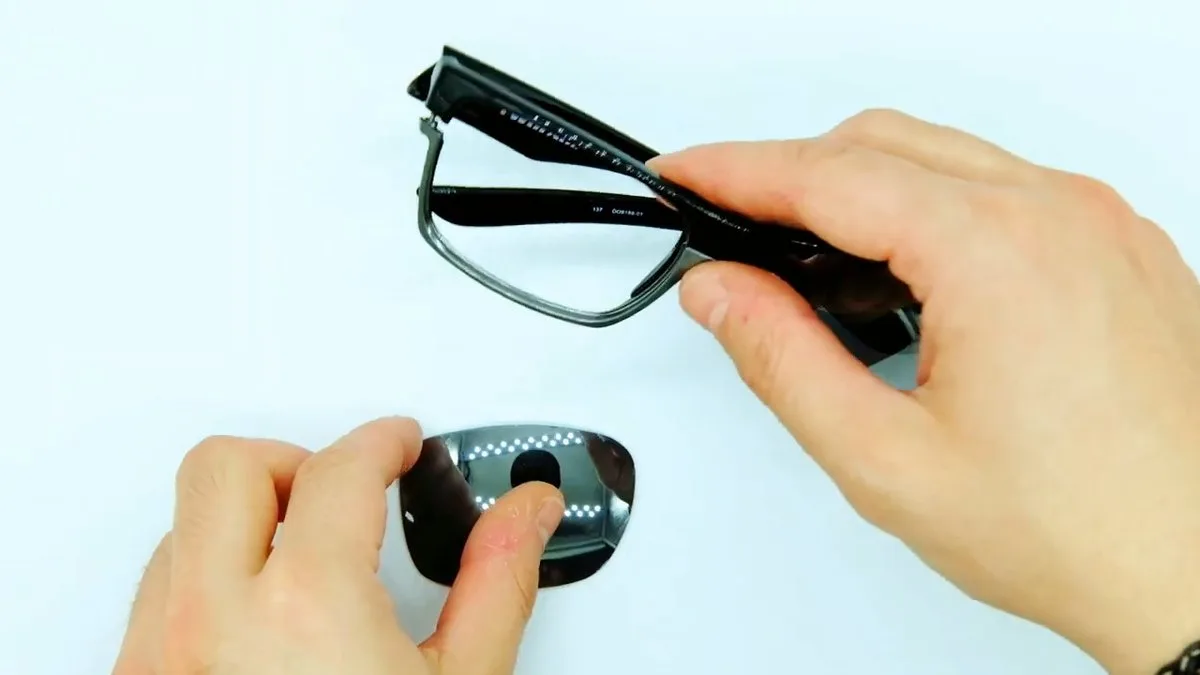
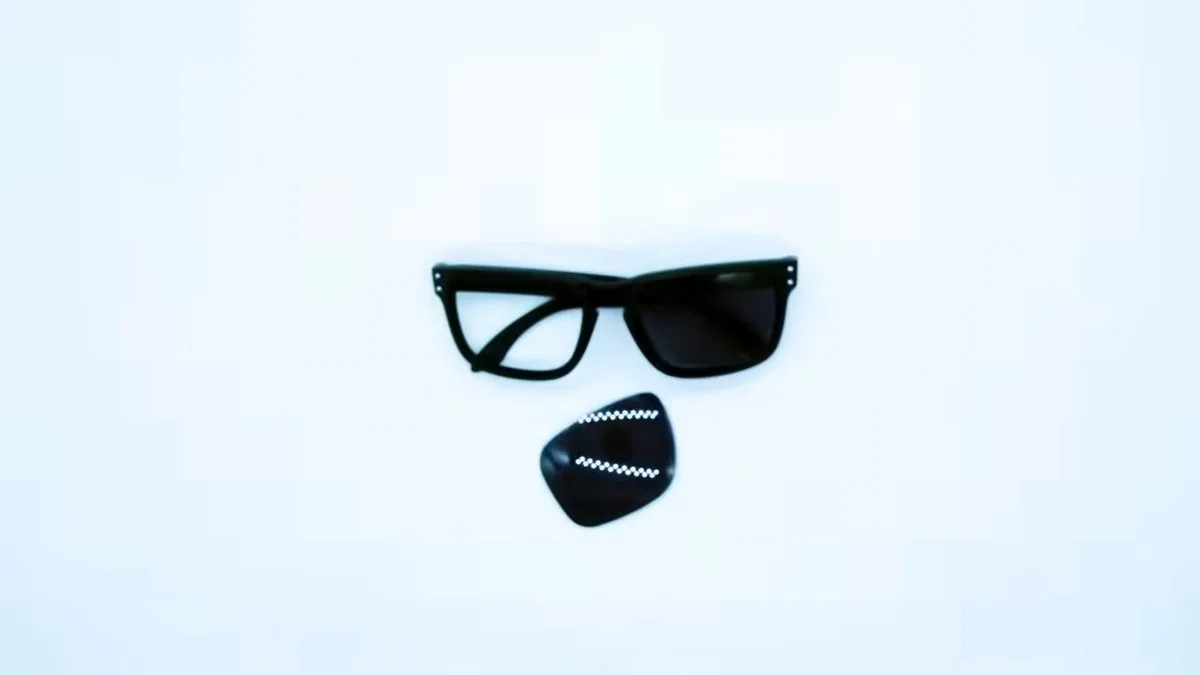
You can replace the lenses on Ray-Ban Meta Wayfarer RW4012 without using any tools. The old lens comes out by pushing it from the inside of the frame, and the new one is pressed into place until it is fully seated in the rim groove.
In this tutorial, we show you how to replace Ray-Ban Meta Wayfarer RW4012 lenses step by step, using a matte black RW4012 in our workshop. In addition to the video, we have selected four key moments from the process so you can see where to place your fingers, how to remove the lenses and how to install the new ones correctly.
Unlike conventional Wayfarers, Ray-Ban Meta glasses contain a camera, LED, speakers, microphones and a battery. The lenses are not connected to these components, but it is important to hold the frame correctly so you do not put unnecessary pressure on the electronics.
Quick summary: Ray-Ban Meta Wayfarer RW4012 · Size 50 or 53 · No screwdriver · No heat · Press-fit lenses.
Before replacing your Ray-Ban Meta RW4012 lenses
Make sure your glasses are RW4012
Look at the inside of one of the temples. You should see a reference such as “RW4012 … 50□22” or “RW4012 … 53□22”.
The RW4012 is the second-generation Ray-Ban Meta Wayfarer. Other Ray-Ban Meta Wayfarers use different references and their lenses are not interchangeable.
If your temple says RW4006 or RW4008, you need the compatible lenses for Ray-Ban Meta Wayfarer RW4006 or the compatible lenses for Ray-Ban Meta RW4008.
Check whether your lens size is 50 or 53
The RW4012 is available in two sizes. The number before the square symbol (□) indicates the lens size, meaning the lens width in millimeters.
We offer RW4012 lenses in 50 mm and 53 mm, and they are not interchangeable. A 53 mm lens will not fit correctly in a size 50 frame, while a 50 mm lens would be too small for a size 53 frame.
If the marking on the temple has worn off or you cannot identify the size, send us a photo of your glasses and we will help you check it.
What you need
- The new lenses for your model and size.
- A clean microfiber cloth on a clear table.
- Clean, dry hands.
You do not need a screwdriver or any other tool. In our video, the entire replacement is carried out using only your hands.
Be careful with the Ray-Ban Meta electronics
The camera and LED are located on the front of the Ray-Ban Meta. The temples also contain electronic components such as the battery, speakers, microphones and touchpad.
You do not need to remove or touch any of these components to replace the lenses, but we recommend:
- Switching the glasses off before starting using the switch on the inside of the left temple.
- Taking the glasses out of the charging case before handling them.
- Holding the frame by the front, close to the rim you are working on.
- Not using the temples as levers.
- Not pressing directly on the camera or LED.
- Not using a hair dryer, hot water or any other heat source.
- Not inserting screwdrivers or tools between the lens and the frame.
How to replace the lenses on Ray-Ban Meta Wayfarer RW4012
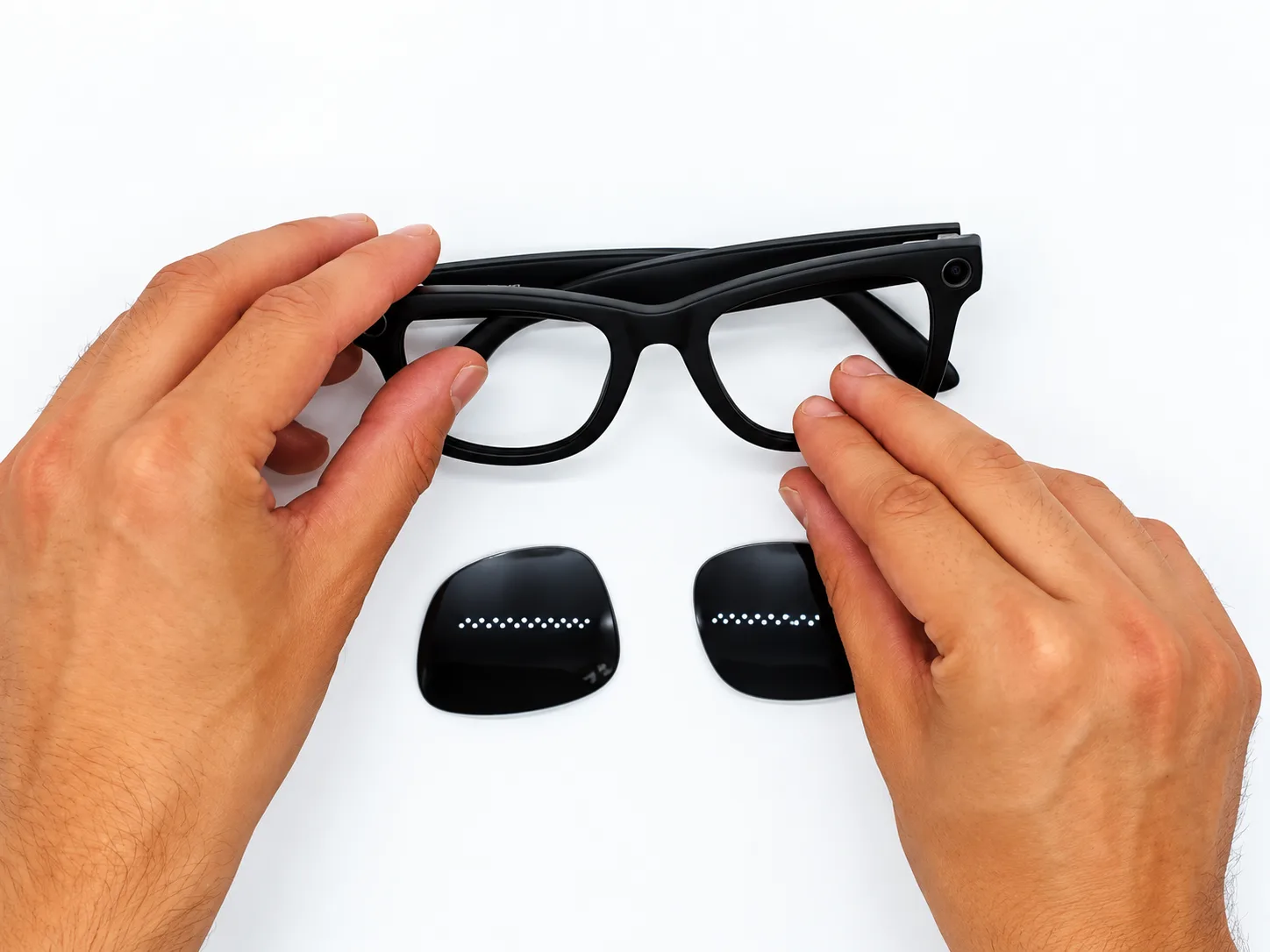
1. Remove the old lens
- Open the temples and hold the front of the glasses firmly.
- Place your index finger on the front of the rim so the frame does not flex too much.
- With the thumb of your other hand, push the lens from the inside towards the outside.
- Start close to the bridge, at the corner near the nose, as shown in the video.
- Apply firm, gradual pressure without sudden movements.
- The lens edge will begin to come out of the rim groove until it is completely released.
- Repeat the same process on the other side.
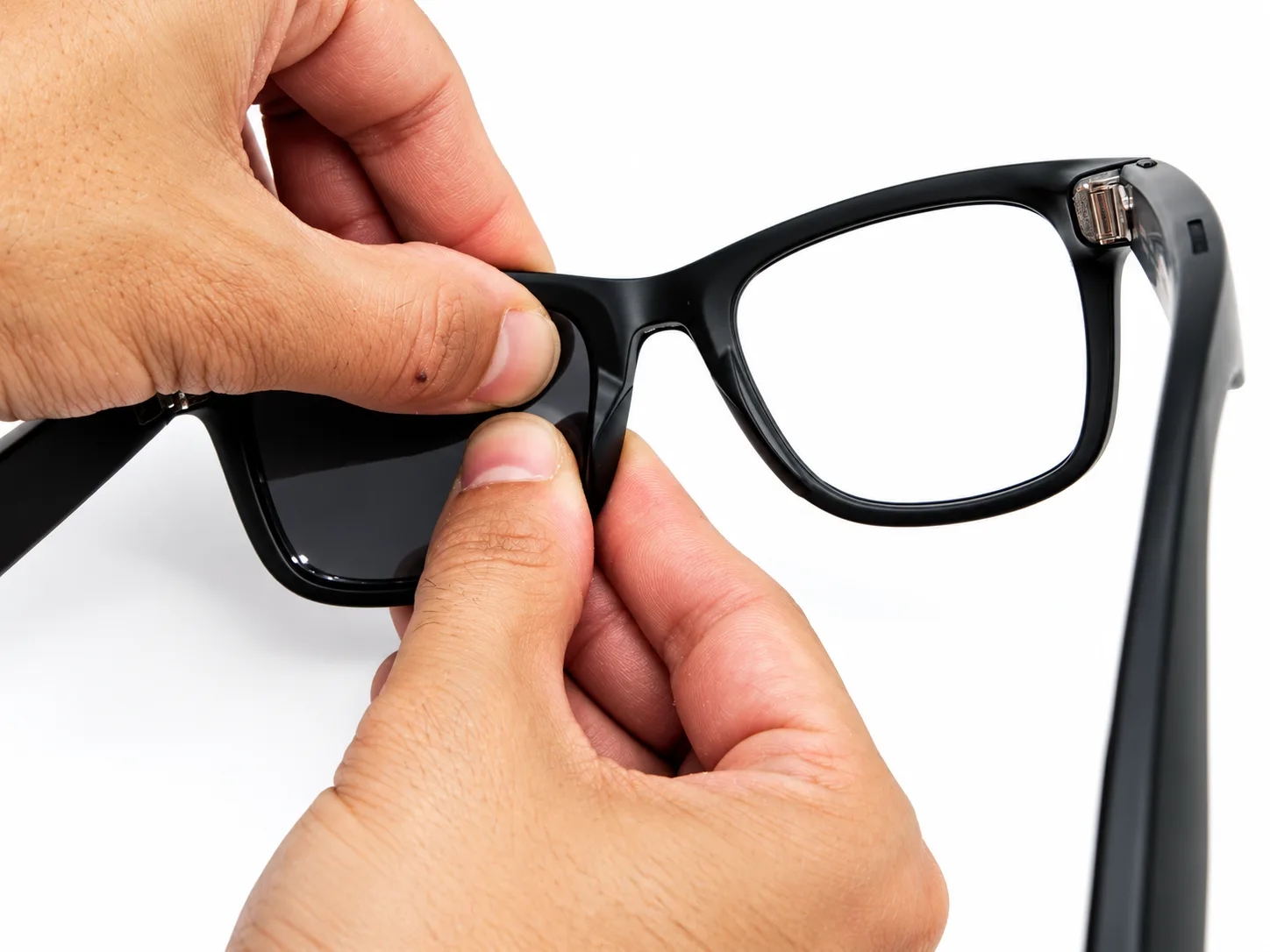
Once both lenses are out, the frame will be completely open. Use this moment to check that the inner rim groove is clean and free of dirt before installing the new lenses.
2. Fit the new lens
Before applying pressure, make sure you have the correct lens for that side and that it is properly oriented.
The curved side should face outwards, and each lens belongs to one side. On original lenses, the Ray-Ban logo is located in the upper outer area. Our compatible lenses do not carry the Ray-Ban logo, so use the lens shape and hold it against the rim before starting.
- Hold the glasses with the front facing you.
- Seat the upper outer corner of the lens in the groove first, on the hinge side.
- Check that the edge is correctly seated in the frame groove.
- Continue pressing the lens edge gradually with your thumbs.
- Work towards the nose area and then along the bottom.
- While pressing, support the rim from behind with your other fingers so it does not flex unnecessarily.
- Finish by seating the lower corner near the nose.
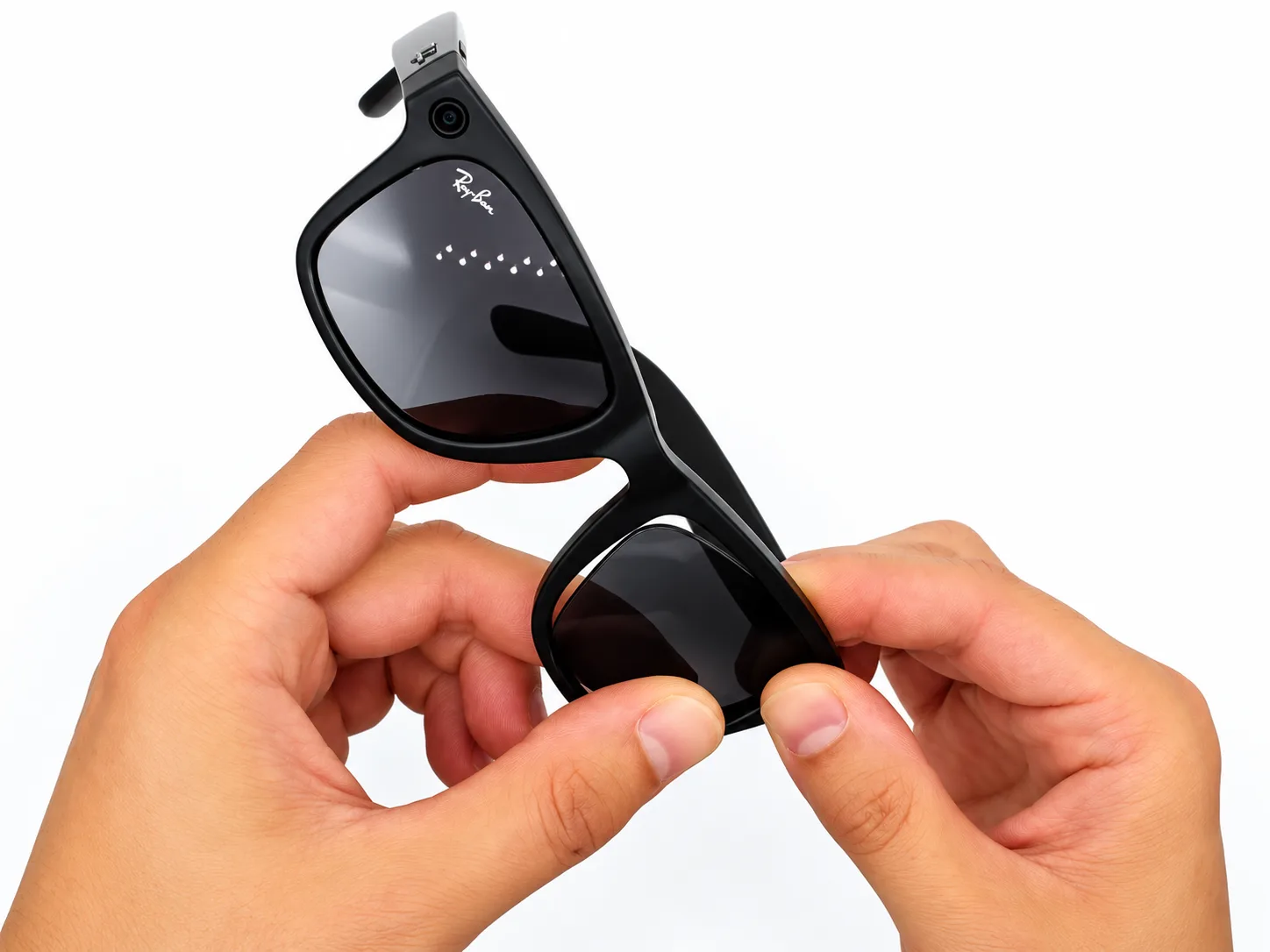
Once the lens is fully seated, you will feel that it is securely held inside the frame groove. No tools or heat are required.
3. Check that the lens is fitted correctly
Run your finger gently around the entire edge of the lens. The whole lens edge should sit inside the frame groove, with no visible gap between the lens and the rim.
Also check that the lens does not rotate or move inside the frame. If it feels loose, check that it is fully seated and that you have selected the correct size.
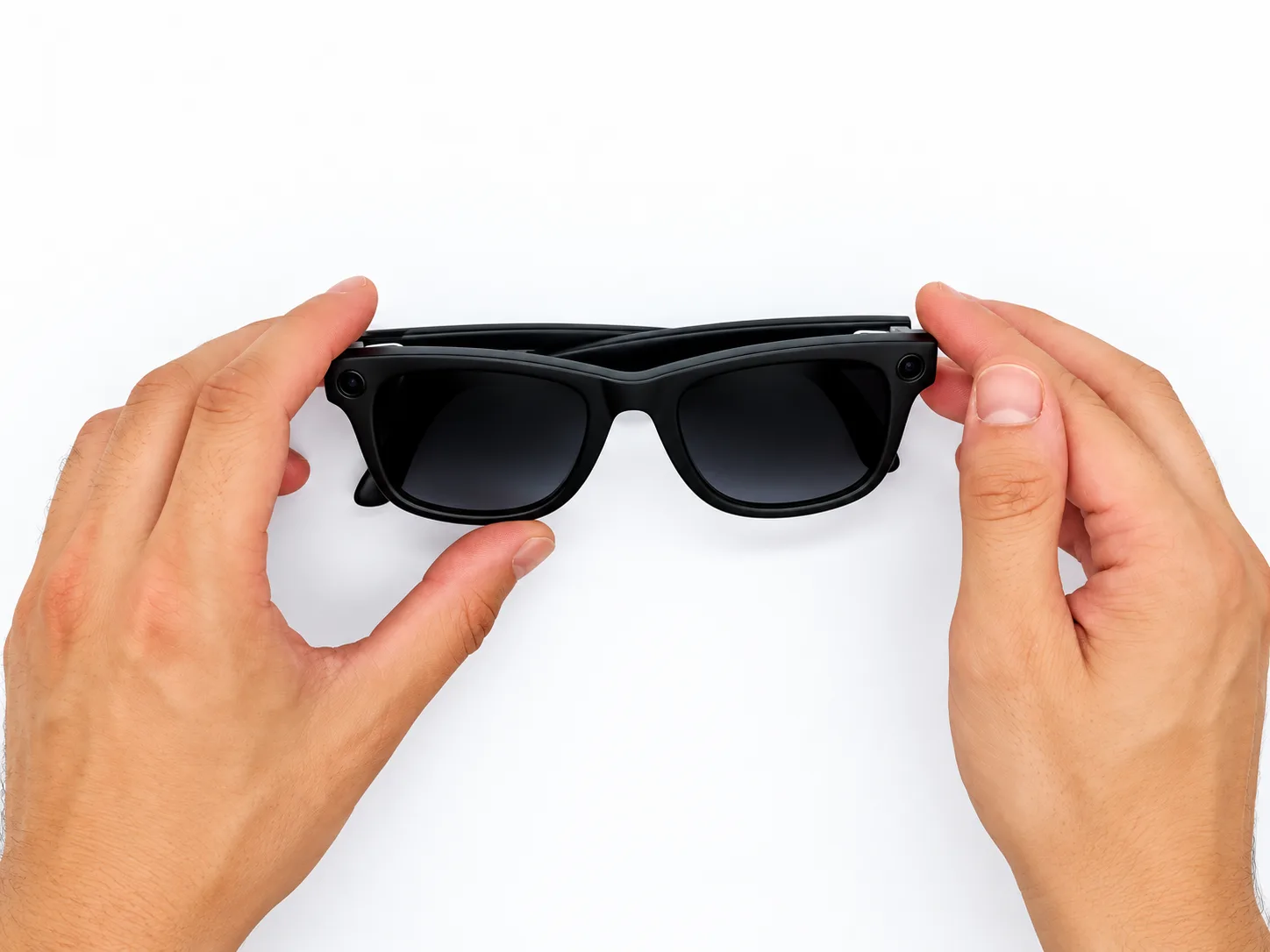
Once you have finished, switch the glasses back on and take a photo or short video to make sure the camera and the other functions are working normally.
The video lasts approximately 31 seconds and has no voice-over, so the process is easy to follow regardless of language. If you are unsure about any step, pause the video and compare the position of the hands with the images in this tutorial.
Original, compatible or prescription lenses for the RW4012?
There are different options for the Ray-Ban Meta Wayfarer RW4012 depending on the type of lens you need.
| Original lens | Compatible lens | Prescription lens | |
|---|---|---|---|
| Made by | Ray-Ban | Independent manufacturer, without Ray-Ban logo | Made to measure in our workshop |
| Prescription | Depending on configuration and optical service | No | Yes, single vision for distance or near |
| Colors and types | Depending on the options available for the model | Tinted, gradient, mirrored, clear and photochromic | Clear, sun, polarized and photochromic |
| Polarized | Depending on version | Optional: Polarized Plus or Polarized Elite | Optional |
| In our store | We do not sell them | In stock depending on color and configuration | Made to order |
Compatible lenses for Ray-Ban Meta Wayfarer RW4012
Our compatible replacement lenses for Ray-Ban Meta Wayfarer RW4012 are made from polycarbonate and TAC and provide UV400 protection.
You can choose from classic green, brown or grey, different colors, gradient finishes, seven mirrored finishes, clear or photochromic lenses.
You can also choose between different treatments:
- Non-polarized: a straightforward option for replacing your lenses.
- Polarized Plus: reduces reflected glare from surfaces such as water, roads and vehicle hoods.
- Polarized Elite: adds an anti-reflective treatment for cleaner, sharper vision.
For our photochromic lenses, the grey option can vary approximately from 0 to 70% darkness, while blue and green vary approximately from 5 to 45%. They darken when exposed to UV radiation, although they do not necessarily become as dark as a conventional sunglass lens.
Important: our compatible lenses are not original Ray-Ban lenses and do not carry the Ray-Ban logo. They are independently manufactured lenses designed to fit this frame.
Prescription lenses for Ray-Ban Meta Wayfarer RW4012
We can also make prescription lenses for Ray-Ban Meta Wayfarer RW4012 to measure in our workshop.
For the RW4012, we manufacture single-vision lenses for distance or near, using your prescription and cutting each lens to the exact shape of the frame.
Our service covers prescriptions up to ±6 diopters of sphere and up to −2 of cylinder.
You can choose from:
- Clear lenses with anti-reflective and hard coating.
- Clear lenses with blue light filter.
- Sun lenses.
- Polarized lenses.
- Transitions Gen S photochromic lenses.
- 1.6 index and, for certain clear-lens configurations, 1.67 index to reduce thickness.
To manufacture the lenses, we will need your prescription and pupillary distance.
Frequently asked questions about Ray-Ban Meta RW4012 lens replacement
Can Ray-Ban Meta lenses be replaced?
Yes. The lenses on Ray-Ban Meta Wayfarer RW4012 are press-fitted into the rim and are not directly connected to the electronics. They can be removed and replaced without taking apart any electronic components.
Do I need tools to replace the RW4012 lenses?
No. In our video, the entire replacement is carried out by hand. You do not need a screwdriver, prying tools or heat.
Do I need to heat Ray-Ban Meta glasses to replace the lenses?
No. We do not use heat for this procedure. Ray-Ban Meta glasses contain electronic components, so we recommend replacing the lenses using controlled hand pressure only.
Does replacing the lenses affect the camera or audio?
Replacing the lenses does not require handling the camera, speakers or other electronic components. Even so, avoid pressing directly on the camera, LED or temples while replacing the lenses.
Can replacing the lenses affect the Ray-Ban Meta warranty?
If your glasses are still covered by the manufacturer’s warranty, we recommend checking its terms first. Accidental damage to the frame or electronics caused during handling may not be covered.
Our lenses come with a 3-year warranty against manufacturing defects.
Do RW4006 or RW4008 lenses fit the RW4012?
No. Although they all belong to the Ray-Ban Meta family, each reference uses its own lens shape. Always choose lenses for the reference printed inside your temple.
Can I get prescription lenses for my Ray-Ban Meta Wayfarer RW4012?
Yes. In our workshop, we can manufacture single-vision distance or near lenses for the RW4012 within the prescription parameters supported by our service.
We currently do not offer progressive lenses for this model.
What is the difference between Polarized Plus and Polarized Elite?
Both options reduce glare from surfaces such as water, roads and vehicles.
Polarized Elite also includes an anti-reflective treatment for cleaner and more comfortable vision.
How do I know whether my RW4012 is size 50 or 53?
Look at the marking on the inside of the temple. The number immediately before the □ symbol is the lens width.
- 50□22: size 50.
- 53□22: size 53.
If the marking cannot be read, measure the lens horizontally from edge to edge. If you are still unsure, send us a photo of your glasses and we will help you identify the correct size.
Order lenses for your Ray-Ban Meta Wayfarer RW4012
If you want to replace your sun lenses, choose our compatible lenses for Ray-Ban Meta Wayfarer RW4012.
If you need vision correction, you can also order our prescription lenses for Ray-Ban Meta Wayfarer RW4012, made to measure in our workshop.
You can find other models in our compatible Ray-Ban lenses and prescription Ray-Ban lenses sections.
Do you also have a Ray-Ban Meta Skyler? See our guide on how to replace Ray-Ban Meta Skyler RW4014 lenses.
We have been a certified EssilorLuxottica distributor since 2016, our lenses come with a 3-year warranty against manufacturing defects and standard shipping is free on qualifying orders.
If you are not sure which lens you need, contact us and we will help you identify your model and size.
Looking for a replacement part for your glasses?
Type the model engraved on the temple arm and we'll show you everything that fits.