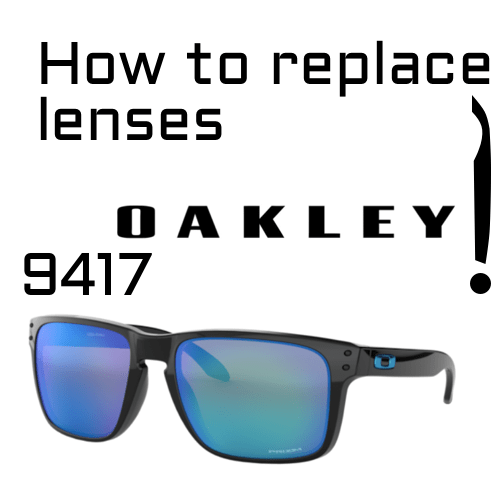
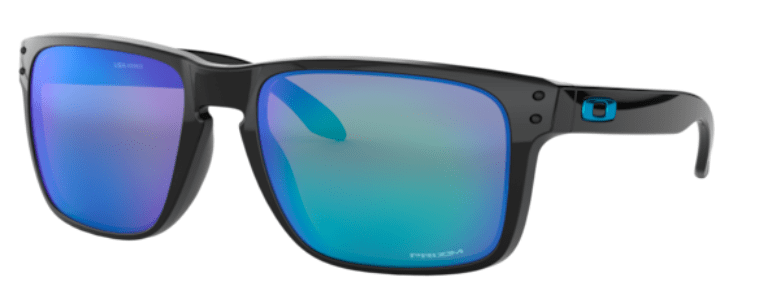
The lenses of the Oakley 9417 Holbrook XL are press-fitted, so you can replace them without tools. To remove them, you push the lens out from the inside at the nose area; to fit them, you insert the new lens on that same side, from the outside, and work it in following the outline of the frame. We explain it step by step.
The Holbrook XL is the larger version of the Holbrook, an Oakley model with a timeless style and very eye-catching designs. If you have scratched or broken a lens, replacing it takes just minutes.
Before you start
Check your model
Look at the inside of one of the temples: the reference of your Oakleys starts with “OO” followed by four digits. For this tutorial it should be “OO9417”. Be careful not to confuse it with the regular-size Holbrook, which has a different reference and a different lens. After the model you’ll see color and size codes; note those down too.
What you need
- The replacement lenses for the Oakley 9417 Holbrook XL.
- A soft cloth or chamois.
- A clean, clear surface.
How to replace the Oakley 9417 lenses step by step
To remove the lens
- Hold the glasses with the inside facing you.
- Hold the frame with one hand.
- Press the lens from the inside at the nose area. With your other hand, push outward in that area.
- Do it gently. You don’t need much force; this way you avoid breaking or scratching the lens.
To fit the new lens
- Turn the glasses around. Hold them with the outside facing you.
- Insert the lens at the nose area. Press so that it clicks into the groove on that side.
- Follow the outline. Work the lens in little by little along the edge of the frame until it is fully seated.
- Check. Run your finger around the whole edge to make sure no part is sticking out.
The image at the top illustrates the process, and here you can watch the Oakley 9417 lens replacement video.
Common mistakes
- Confusing the Holbrook with the Holbrook XL. They take different lenses. Make sure your reference is OO9417.
- Starting on the wrong side. Starting at the nose area makes it much easier both to remove and to fit the lens.
- Forcing the lens. If it won’t go in, take it out and start again at the nose; forcing it can break it.
- Touching the lens surface with your fingers. Use the cloth to avoid leaving fingerprints or scratching it.
- Leaving the lens poorly seated. If part of it is sticking out, it will pop out at the first knock.
Frequently asked questions
Do I need any tools?
No. The 9417 lenses are press-fitted and can be replaced by hand.
Are there compatible lenses for the Holbrook XL?
Yes. As well as the originals, we have compatible lenses for the Oakley 9417 Holbrook XL.
Can I fit prescription lenses?
Yes. We have prescription lenses for the Oakley 9417 Holbrook XL.
Can I choose a different lens color?
Yes. As long as the lens is made for the 9417 Holbrook XL model, you can choose a different color from the original and it will fit your frame just the same.
What if the lens won’t go in?
Don’t force it. Take it out, check that it is the right way around and start again at the nose area. If it still won’t go in, send us a photo.
What if I need temples?
We also have original Oakley 9417 Holbrook XL temples.
Is it worth replacing just the lenses?
Yes, in most cases. The Holbrook XL frame is tough and usually lasts much longer than the lenses, which are what take the scratches and knocks. Replacing just the lenses is cheaper and more sustainable, and it also lets you try a different color without giving up your frame.
To make them last longer, clean them with lukewarm water and a microfiber cloth, and always keep them in their case.
Lenses for your Oakley Holbrook XL
Choose original Oakley 9417 Holbrook XL lenses in the color you prefer. We have been a certified EssilorLuxottica distributor since 2018, our parts come with a 3-year warranty against manufacturing defects and standard shipping is free on orders over $ 50.53. If you have any questions at all, write to us and we’ll help you by email.
Looking for a replacement part for your glasses?
Type the model engraved on the temple arm and we'll show you everything that fits.